In the world of design, innovation is the key to success. The ability to bring creative ideas to life is crucial, but it requires a powerful tool to achieve greatness. That’s where CAD comes in. But have you ever wondered how CAD software has revolutionized the design process? How has it changed the way professionals in various industries bring their visions to life? Let’s dive in and explore the captivating world of CAD and its impact on design processes.
Key Takeaways:
- CAD (Computer-Aided Design) is a powerful software that aids in the design process across various industries.
- CAD software optimizes workflow, increases productivity, and improves design quality.
- Architects, engineers, and graphic designers are among the professionals who utilize CAD software in their work.
- CAD enables collaboration and sharing of designs, facilitating communication among team members.
- With features like generative design and virtual testing, CAD software empowers designers to innovate and optimize their designs.
Who Uses CAD?
CAD software is a powerful tool used by professionals across a wide range of industries. Architects, engineers, and graphic designers are just a few examples of the creative minds who take advantage of CAD’s capabilities. Let’s explore how these professionals utilize CAD software in their work:
Architects
Architects turn their visions into reality with CAD software. They use CAD to design buildings and structures, creating detailed plans and drawings for construction. With CAD, architects can easily visualize their ideas and make adjustments to ensure their designs are both aesthetically pleasing and structurally sound. CAD software enables architects to create precise floor plans, elevations, sections, and 3D models, allowing them to communicate their designs effectively to clients, contractors, and other stakeholders.
Engineers
Engineers rely on CAD software to bring their innovative ideas to life. Whether they work in civil, mechanical, electrical, or any other field, engineers use CAD for drafting designs and technical drawings. CAD software enables engineers to create and analyze intricate designs, such as infrastructure components, circuits, and mechanical items. With CAD, engineers can optimize their designs, detect potential flaws, and simulate real-world scenarios before starting the manufacturing process. This not only saves time and resources but also ensures that their designs meet the required specifications and standards.
Graphic Designers
Graphic designers unleash their creativity using CAD software. They utilize CAD to create visual mockups, artwork, logos, and illustrations. With CAD, graphic designers can explore various design options, experiment with colors and textures, and quickly iterate their ideas. CAD software provides a flexible and precise digital canvas, allowing designers to perfect their creations with ease. Whether it’s for print media, website design, or multimedia projects, CAD empowers graphic designers to bring their visions to life in a visually captivating way.
“CAD software enables architects, engineers, and graphic designers to turn their ideas into reality, fostering collaboration and pushing the boundaries of creativity.”
Collaboration plays a vital role in the design field, and CAD software facilitates seamless collaboration among professionals. With CAD, architects, engineers, and graphic designers can easily share their designs, receive feedback, and collaborate on projects in real-time. The software’s collaborative features enable multiple stakeholders to contribute their expertise, ensuring that designs meet the highest standards of quality and functionality.
The image below provides a captivating visual representation of the collaborative nature of CAD software:
| Industry | Professionals |
|---|---|
| Architecture | Architects, architectural firms |
| Engineering | Mechanical engineers, civil engineers, electrical engineers, structural engineers |
| Graphic Design | Graphic designers, creative agencies |
In conclusion, CAD software serves as an essential tool for architects, engineers, and graphic designers, enabling them to unleash their creativity, improve efficiency, and foster collaboration. This versatile software has transformed the design industry by providing professionals with the means to turn their ideas into reality.
Benefits of CAD
Computer-Aided Design (CAD) software brings a multitude of benefits, revolutionizing traditional manual drafting processes. From reducing production costs to enhancing collaboration, CAD is an indispensable tool for designers, architects, and engineers.
Streamline Design Process
CAD software streamlines the design process, resulting in lower production costs and increased efficiency. By leveraging CAD tools, designers can develop intricate and accurate designs, ultimately minimizing errors and rework. With the ability to make quick changes without starting from scratch, CAD software accelerates project completion, saving valuable time and resources.
Create High-Quality Designs
Designs created using CAD software exhibit higher quality, surpassing hand-drawn sketches. CAD software provides a digital platform that allows designers to create highly detailed and precise designs, ensuring clarity and accuracy. The built-in documentation feature further enhances the quality of the designs, aiding in effective communication and minimizing errors.
Facilitate Collaboration
CAD software promotes collaboration among team members by enabling the easy sharing of digital files. Designers, architects, and engineers can collaborate seamlessly, exchanging ideas and making real-time modifications. This collaborative environment fosters effective communication and enhances decision-making processes, resulting in better design outcomes.
Empower Generative Design
“Generative design, a cutting-edge feature in CAD software, leverages artificial intelligence to explore numerous design possibilities and optimize innovative solutions. It enables designers to define their design goals and allows the software to generate multiple design iterations based on these parameters. By exploring diverse possibilities, generative design pushes the boundaries of creativity and innovation.”
Enhance Design Capabilities
CAD software goes beyond traditional drafting, offering advanced features like generative design and solid modeling. Generative design allows designers to explore novel design variations, improving product performance and functionality. Solid modeling empowers designers to create 3D representations of their designs, enabling virtual testing and eliminating potential issues before production.
Overall, CAD software opens up new horizons for designers, architects, and engineers. By harnessing the power of technology, CAD brings efficiency, precision, and collaboration to the design process, paving the way for innovative and high-quality designs.
| Benefits of CAD | Description |
|---|---|
| Streamline Design Process | Reduces production costs and accelerates project completion by streamlining the design process. |
| Create High-Quality Designs | Produces designs that are clearer, more detailed, and of superior quality compared to hand-drawn sketches. |
| Facilitate Collaboration | Enables seamless collaboration and information sharing among team members, fostering effective communication. |
| Empower Generative Design | Leverages AI to explore innovative design possibilities and optimize solutions. |
| Enhance Design Capabilities | Offers advanced features like generative design and solid modeling, pushing the boundaries of creativity and functionality. |
CAD Software/Tools
When it comes to CAD software, there are a plethora of tools available to assist designers and engineers in their work. Each software option brings its own unique set of features and capabilities, catering to specific use cases and industries. Whether you’re involved in industrial design, architecture, or any other field that requires CAD, there’s a software tool out there for you.
Here are some popular CAD software options:
- MicroStation
- AutoCAD
- CorelCAD
- SolidWorks
- Onshape
- Catia
- LibreCAD
- OpenSCAD
- Vectorworks
- Solid Edge
- Altium Designer
Each of these software tools is renowned in the industry and has gained popularity for its unique offerings. Whether you’re looking for parametric modeling, architectural design, or electronic design automation, there’s a CAD software to suit your needs.
Let’s take a closer look at some of these CAD software tools:
| Software | Use Cases | Features |
|---|---|---|
| MicroStation | Architecture, civil engineering | 2D/3D modeling, documentation, collaboration tools |
| AutoCAD | General design, architecture, engineering | 2D/3D modeling, documentation, parametric design |
| CorelCAD | General design, architecture, engineering | 2D/3D modeling, precision tools, DWG support |
| SolidWorks | Mechanical engineering, product design | Parametric modeling, assembly design, simulation |
| Onshape | Cloud-based design collaboration | Real-time collaboration, version control, parametric modeling |
| Catia | Aerospace, automotive, industrial design | 3D modeling, surfacing, simulation |
| LibreCAD | 2D design, architecture | 2D drafting, precision tools |
| OpenSCAD | Parametric modeling, 3D design | Script-based modeling, customizable designs |
| Vectorworks | Architecture, landscape design, entertainment | 2D/3D modeling, BIM integration |
| Solid Edge | Mechanical design, manufacturing | Parametric modeling, simulation, assembly design |
| Altium Designer | Electronic design automation | PCB design, electrical engineering, 3D modeling |
As you can see, these CAD software tools cater to different industries and design requirements. Whether you’re working on architectural plans, mechanical simulations, or electronic designs, there’s a CAD software tailored to your needs.
Now that you have an overview of some of the popular CAD software options available, you can explore further and find the one that best suits your design workflow.
What is CAD?
CAD, or Computer-Aided Design, is a digital design method that allows you to create accurate representations of real-world products in the form of 2D drawings and 3D models. With CAD, you can visually illustrate your designs and optimize them before moving on to the manufacturing stage. CAD software, such as Creo, provides a range of powerful tools that enable easy sharing, reviewing, simulating, and modifying of designs, streamlining the product development process.
Over the years, CAD has undergone remarkable advancements in parametric and feature-based solid modeling, making it an indispensable tool in today’s product design and development process. Through CAD, designers and engineers have the capability to enhance design representation and achieve optimized outcomes for their projects.
The Power of 2D Drawings and 3D Models
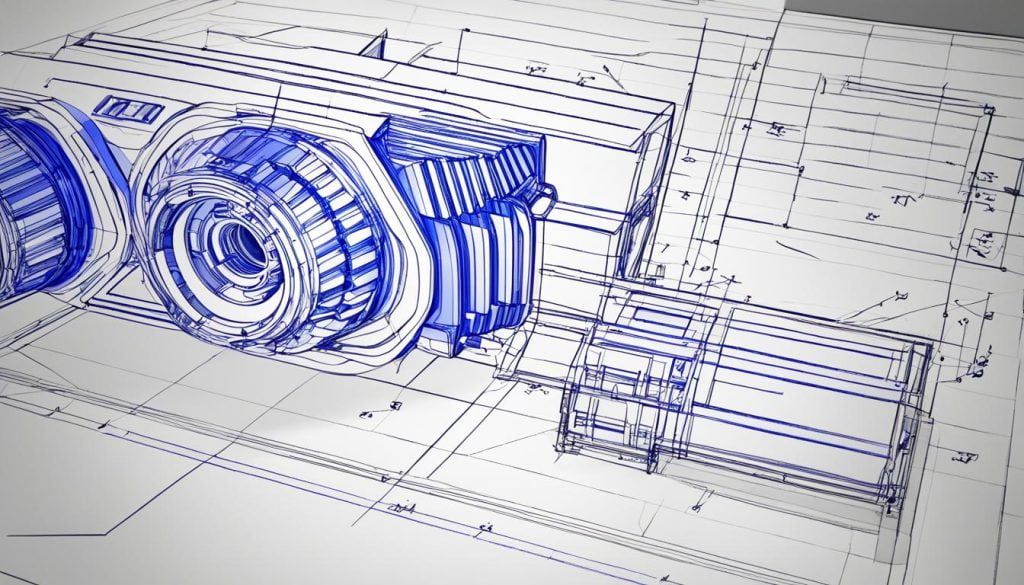
With CAD, you can create detailed 2D drawings and realistic 3D models that accurately portray the physical aspects of your product. 2D drawings provide a precise representation of measurements, dimensions, and other essential details. They offer clear documentation and instructions for manufacturing processes. On the other hand, 3D models give a more comprehensive visualization of how the product will look and function in real life. They provide a holistic view and allow for better understanding of the design’s form, structure, and overall aesthetic.
Optimizing Designs for Manufacturing
One of the key benefits of CAD is its ability to optimize designs before they are brought into the physical realm. Through CAD software, you can simulate and test your designs virtually, identifying potential flaws or areas for improvement. This optimization process helps you reduce errors, minimize material wastage, and enhance the overall quality of your product. By ironing out design flaws early on, you can save time, money, and resources during the manufacturing phase.
Collaboration and Design Iteration
CAD also facilitates collaboration among team members involved in the design process. With CAD software, designers and engineers can easily share their work, receive feedback, and make collaborative changes in real time. This streamlined collaboration enables efficient design iteration and ensures that everyone involved is on the same page. Through CAD, you can collectively enhance the design, iterate on ideas, and arrive at the best possible solution.
A Comparison of 2D Drawings and 3D Models
| 2D Drawings | 3D Models |
|---|---|
| Accurate representation of measurements and dimensions | Comprehensive visualization of form and structure |
| Clear documentation for manufacturing processes | Better understanding of the design’s aesthetic |
| Provides precise instructions | Allows for virtual testing and optimization |
How is CAD Implemented?
CAD software is widely implemented in various professions and industries, revolutionizing the way designs are created and developed. Its versatility makes it an essential tool for professionals in architecture, product design, engineering, and graphic design.
Architecture
In architecture, CAD software is employed throughout different stages of the design process. Established firms often incorporate building information modeling (BIM) software like Revit to enhance productivity and efficiency. BIM software allows architects to create accurate 3D models, enabling them to visualize and analyze the structure’s components, electrical systems, plumbing, and more. This technology improves collaboration between architects, structural engineers, and contractors, resulting in more seamless construction processes.
Product Design
CAD programs like Fusion 360, Inventor, and SolidWorks are extensively used by product designers to transform their ideas into visual representations and predict the functionalities of various components. These software tools allow designers to create intricate 3D models, simulate real-world scenarios, and conduct virtual testing. By utilizing CAD, product designers can iterate on their designs, refine them, and validate their viability before manufacturing. This leads to a reduction in design errors, faster time-to-market, and improved product quality.
Graphic Design
In graphic design, CAD software plays a crucial role in creating visually compelling design mockups. Graphic designers utilize both 2D and 3D CAD software to design packaging, logos, advertisements, and other visual assets. CAD tools offer precise measurement capabilities, realistic rendering, and seamless integration with other design software, empowering graphic designers to bring their ideas to life. CAD software enables them to experiment with different aesthetic elements, visual effects, and color schemes, resulting in stunning designs that captivate their target audience.
Engineering
Engineering CAD programs cater to a wide array of drafting needs, ranging from buildings and circuits to mechanical items and telecommunications networks. Engineers utilize CAD software to draft detailed engineering drawings, simulate mechanical and electrical systems, and validate the structural integrity of their designs. CAD software allows engineers to make precise measurements, analyze assemblies, and simulate real-world conditions. By leveraging CAD, engineers can optimize their designs, reduce material waste, and improve the overall efficiency and safety of their projects.
As CAD software continues to evolve, professionals from various industries rely on its capabilities to streamline their design and development processes. From architecture to product design, engineering to graphic design, the implementation of CAD software empowers professionals to bring their creative visions to life more efficiently and effectively.
CAD’s Impact on Productivity, Error Reduction, and Quality
CAD software has revolutionized the design and engineering fields, bringing with it numerous benefits that significantly impact productivity, error reduction, and design quality. By leveraging CAD software, professionals can streamline their design processes, optimize their workflows, and achieve remarkable results. Let’s explore how CAD software enhances productivity, reduces errors, and improves design quality.
Increased Productivity
CAD software allows for faster design creation, ultimately reducing overall project timelines. With the efficiency and precision that CAD offers, designers can produce designs at an accelerated pace. This not only saves time but also enables professionals to take on more projects, increasing productivity and driving business growth.
“CAD software streamlines the design process and empowers designers to create more in less time.”
Automation is another powerful feature of CAD software that contributes to increased productivity. By automating repetitive tasks, CAD software minimizes the risk of manual errors and allows designers to focus on the creative aspects of their work. This automation reduces the time spent on tedious tasks, empowering professionals to allocate their time and energy more efficiently.
Error Reduction
CAD software plays a vital role in error reduction during the design process. Through its intuitive user interface and intelligent tools, CAD software can identify and alert users to input mistakes or inconsistencies in their designs. This proactive error detection minimizes the likelihood of costly mistakes and ensures that designs are accurate from the start.
Furthermore, CAD software allows for virtual prototyping, eliminating the need for physical prototypes. This virtual testing environment enables designers to identify and rectify design flaws before production, reducing the risk of errors and rework. By catching errors early on, CAD software saves valuable time and resources while significantly reducing design-related costs.
Improved Design Quality
With CAD software, designers have the ability to iterate on their designs effortlessly. They can make modifications, explore alternatives, and refine their concepts without starting from scratch. This iterative design process contributes to higher design quality by allowing designers to fine-tune their ideas and optimize their designs for better performance.
The virtual prototyping capabilities of CAD software also ensure that designers can thoroughly evaluate their designs before physical production. By simulating real-world conditions and conducting virtual tests, CAD software enables designers to identify potential issues and make necessary adjustments. This attention to detail results in higher design quality, reducing the risk of design flaws and enhancing the overall product outcomes.
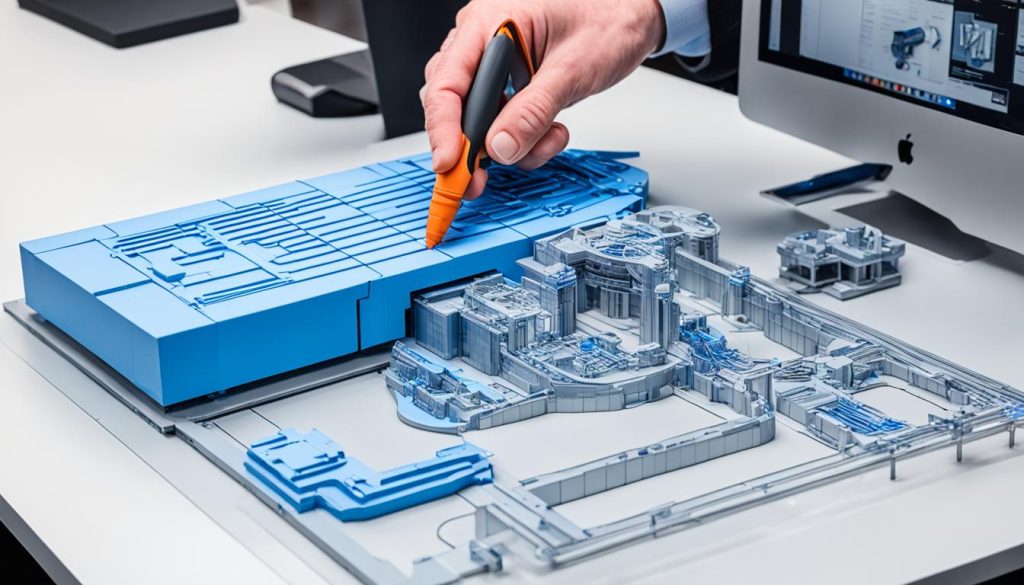
In conclusion, CAD software has a profound impact on productivity, error reduction, and design quality. By accelerating design creation, minimizing errors, and enabling iterative design processes, CAD software empowers professionals to achieve remarkable results. With CAD, designers can unlock their full potential, pushing the boundaries of creativity, innovation, and design excellence.
CAD’s Role in Information Sharing and Collaboration
CAD software plays a vital role in promoting effective communication and collaboration among team members. By utilizing CAD software, you can harness its powerful capabilities to enhance information sharing and streamline collaborative processes.
One of the key advantages of CAD software is its ability to facilitate detailed information sharing through 3D designs. By visualizing your ideas in three dimensions, you can convey complex concepts and design elements with precision. This promotes a better understanding among team members and allows supervisors to set goals more accurately.
Furthermore, the advent of cloud-based CAD systems has revolutionized collaboration by enabling remote teams to work together seamlessly. With cloud-based CAD, you can access real-time design views and make concurrent design edits, regardless of your physical location. This flexibility fosters efficient collaboration and eliminates barriers posed by traditional on-premise CAD software.
In addition, CAD software enhances B2B interfacing by providing clear visualizations of your designs. This helps mitigate fit and tolerance issues, allowing for more accurate planning and smoother integration with suppliers and manufacturers. Furthermore, CAD empowers assembly line workers to collaborate effectively and provide direct feedback, ensuring a streamlined production process.
| Benefits of CAD’s Role in Information Sharing and Collaboration |
|---|
| Better communication and understanding among team members |
| Accurate goal setting and planning |
| Remote collaboration and real-time design views |
| Efficient B2B interfacing with clear visualizations |
| Enhanced collaboration between assembly line workers |
| Direct customer feedback for an enhanced customer experience |
By leveraging the power of CAD software, you can optimize information sharing and collaboration, thereby enhancing productivity and accelerating project timelines. Whether you’re working with a geographically distributed team or collaborating with external partners, CAD software empowers you to communicate, visualize, and collaborate with ease.
CAD’s Impact on Design Processes
CAD has revolutionized the design process across industries, ushering in a wave of innovation, optimization, and efficiency. Through the power of CAD software, designers and engineers can leverage virtual testing and simulations to push boundaries and explore new possibilities.
With CAD software, engineers have the freedom to test multiple design iterations and analyze their performance under real-world conditions. This enables them to identify and address potential flaws or areas for improvement early in the design process, ultimately leading to more robust and reliable products.
“CAD software has transformed the way we approach design. We can now push the boundaries of what’s possible, test our ideas in a virtual space, and optimize our designs for maximum performance.” – Jane Thompson, Product Design Engineer
Design errors can be costly, resulting in delays, rework, and increased production costs. However, CAD software has been instrumental in reducing design errors, saving both time and resources. By allowing designers to visualize and simulate their creations before they are brought to life, CAD software minimizes the risk of costly mistakes. This not only improves the overall quality of the design but also reduces waste in the production process.
In the field of architecture, CAD software has paved the way for precise and intricate designs. Complex disciplines like architecture require precision and attention to detail, which CAD software can deliver. Designers can create elaborate building structures, plan intricate floor layouts, and explore different design options to optimize functionality and aesthetics.
CAD has transformed design processes, making them more efficient, accurate, and adaptable. Designers are no longer confined to traditional methods of sketching and prototyping. Instead, they have the power of CAD software at their fingertips, empowering them to bring their visions to life with unparalleled precision.
Benefits of CAD’s Impact on Design Processes:
- Enhanced innovation and creativity
- Optimized designs through virtual testing and simulations
- Reduced design errors, minimizing waste
- Precise and intricate designs in complex disciplines
- Improved efficiency, accuracy, and adaptability in the design process
In summary, CAD software’s impact on design processes cannot be understated. It has unlocked new levels of innovation, optimization, and reduced waste. By providing designers with powerful virtual testing capabilities, CAD software enables them to create designs that were previously unimaginable. With CAD software, the possibilities are endless, and the future of design is brighter than ever.
Conclusion
In today’s fast-paced world, CAD (Computer-Aided Design) software has emerged as an indispensable tool for professionals across various fields. Its wide range of benefits has revolutionized the design process, making it more efficient and productive.
CAD software streamlines the design process by providing powerful tools and features that optimize workflow and reduce manual errors. It enables designers to create precise and intricate designs, improving design quality and ensuring better outcomes. With CAD, professionals can easily collaborate and share information, enhancing communication and fostering better understanding among team members.
One of the key advantages of CAD software is its ability to boost productivity. By automating repetitive tasks and offering advanced functionalities like generative design, CAD empowers designers to work smarter and faster. It allows for virtual testing and simulations, saving time and resources while enabling engineers to innovate and optimize their designs.
Thanks to CAD software, professionals can bring their visions to life more efficiently and effectively. With its seamless integration into the design process, CAD has become an essential companion for architects, engineers, graphic designers, and others, enabling them to create stunning designs that push the boundaries of innovation.
FAQ
What is the role of CAD (Computer-Aided Design)?
CAD (Computer-Aided Design) is the use of computer-based software to aid in design processes. It is used by professionals in various fields, such as architects, engineers, and graphic designers, to optimize workflow, increase productivity, improve design quality, and facilitate collaboration. CAD software allows for the creation of both 2D drawings and 3D models, which can be used in manufacturing processes.
Who uses CAD?
CAD software is used by architects, engineers, graphic designers, and professionals in various industries. Architects use CAD for designing buildings and structures, while engineers leverage it for drafting designs such as infrastructure components, circuits, and mechanical items. Graphic designers also use CAD software for creating visual mockups and artwork. CAD fosters collaboration by allowing users to easily share and review designs, making it a valuable tool for professionals in different fields.
What are the benefits of CAD?
CAD offers several benefits compared to traditional manual drafting. It helps lower production costs by streamlining the design process and reducing the need for rework. CAD software enables quicker project completion due to its efficiency and allows for easy changes without starting from scratch. Designs created with CAD software have built-in documentation and are clearer and more detailed than hand-drawn sketches. Digital files facilitate collaboration among team members. Additionally, CAD software often includes features for generative design and solid modeling, enhancing design capabilities.
What are some popular CAD software/tools?
Some popular CAD software options include MicroStation, AutoCAD, CorelCAD, SolidWorks, Onshape, Catia, LibreCAD, OpenSCAD, Vectorworks, Solid Edge, and Altium Designer. These software tools cater to specific use cases and industries, ranging from industrial design to architecture. Each software has its own features and capabilities, allowing users to find the one that best suits their needs and preferences.
What is CAD and what does it involve?
CAD (Computer-Aided Design) is a digital design method that involves creating 2D drawings and 3D models of real-world products. It allows users to visually represent their designs accurately and optimize them before manufacturing. CAD software, such as Creo, enables users to share, review, simulate, and modify designs easily, facilitating faster product development. CAD has evolved over the years, with advancements in parametric and feature-based solid modeling, making it an indispensable tool in the product design and development process.
How is CAD implemented in different professions and industries?
CAD finds application in various professions and industries. In architecture, CAD is used throughout different stages of the design process. More established firms often incorporate building information modeling (BIM) software like Revit for improved productivity. Product designers use CAD programs like Fusion 360, Inventor, or SolidWorks to visualize and predict component functionalities. Graphic designers also utilize 2D or 3D CAD software for creating visual mockups. Engineering CAD programs cater to drafting a wide array of elements, including buildings, circuits, mechanical items, and telecommunications networks. CAD has become an essential tool for professionals in multiple industries, streamlining design and development processes.
How does CAD impact productivity, error reduction, and design quality?
CAD software has significantly increased productivity in the design and engineering fields. It allows for faster design creation, reducing overall project timelines. Manual errors are minimized, as CAD software alerts users to input mistakes and automates repetitive tasks. CAD software enables virtual prototyping, eliminating the need for physical prototypes and saving time and resources. Designers can easily iterate on their designs and make changes without starting from scratch. These factors contribute to higher design quality and improved overall product outcomes.
What is CAD’s role in information sharing and collaboration?
CAD software supports better communication and collaboration among team members. It allows for detailed information sharing through 3D designs, improving understanding and enabling supervisors to set goals more accurately. Cloud-based CAD systems facilitate remote collaboration and enable real-time design views and concurrent design edits. CAD also enhances B2B interfacing, as 3D designs provide clear visualizations and help mitigate fit and tolerance issues. CAD fosters collaboration between assembly line workers and allows for direct customer feedback, enhancing the overall customer experience.
How does CAD impact design processes?
CAD has revolutionized the design process across industries. It allows for innovation and optimization through virtual testing and simulations. Engineers can test multiple design iterations, analyze their performance under real-world conditions, and make adjustments accordingly. CAD software helps reduce design errors, saving time and resources by minimizing waste. It enables designers to create more precise and intricate designs, especially in complex disciplines like architecture. CAD has transformed design processes, making them more efficient, accurate, and adaptable.
What are the key takeaways about CAD?
CAD (Computer-Aided Design) software has become an essential tool for professionals in various fields, offering numerous benefits. It streamlines the design process, enhances productivity, reduces errors, and improves design quality. CAD software enables collaboration and information sharing among team members, fostering better communication and understanding. With features like generative design and virtual testing, CAD software empowers designers to innovate and optimize their designs. Overall, CAD has revolutionized the way designs are created, allowing professionals to bring their visions to life more efficiently and effectively.